
Table of Contents
DTP Software क्या है?
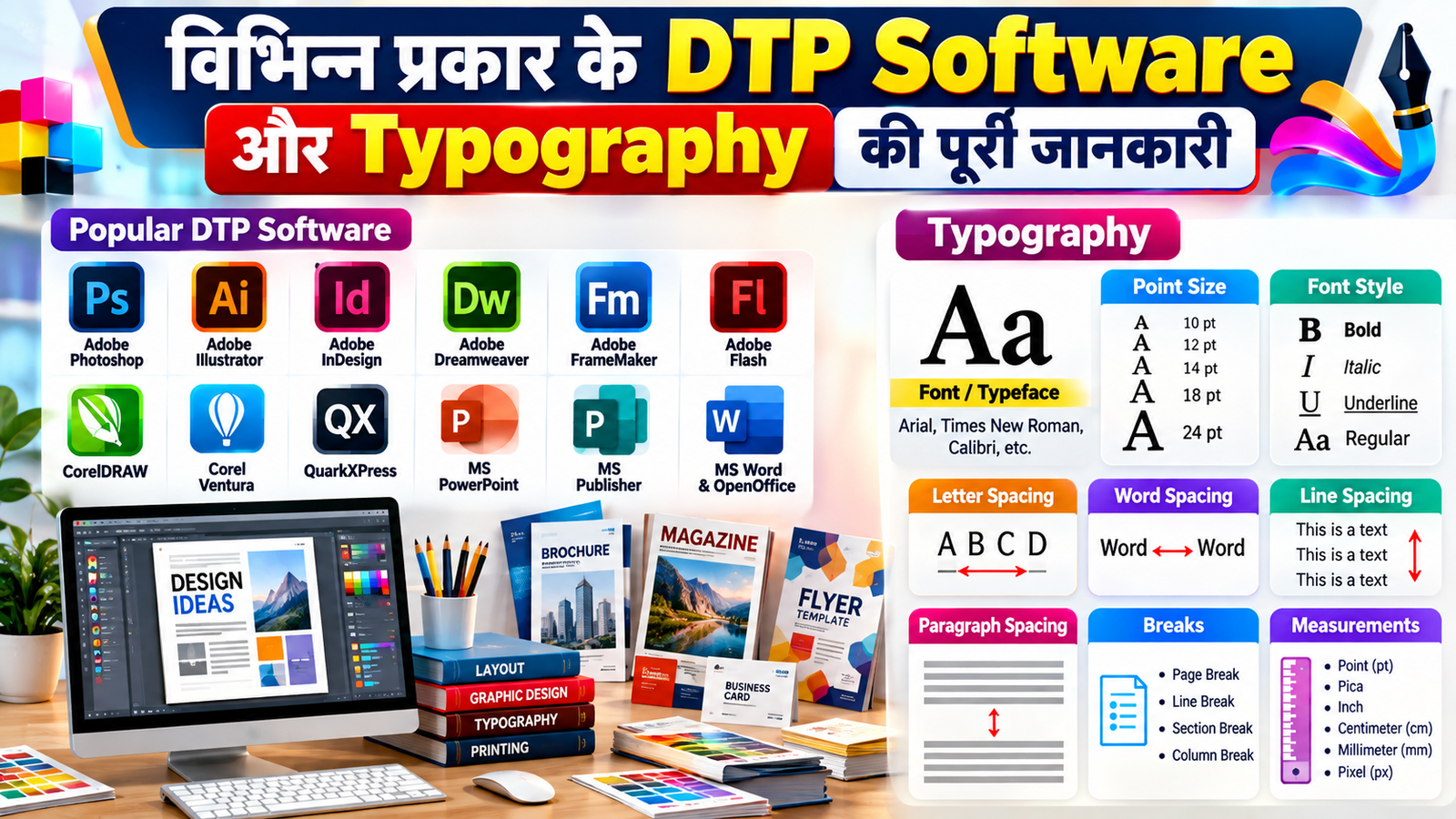
DTP (Desktop Publishing) एक ऐसी तकनीक है, जिसमें कंप्यूटर और विशेष सॉफ्टवेयर की सहायता से text, images और graphics को व्यवस्थित करके आकर्षक documents तैयार किए जाते हैं। इसका उपयोग books, magazines, newspapers, brochures, pamphlets, visiting cards, posters और अन्य print तथा digital सामग्री बनाने में किया जाता है।
DTP Software में text formatting, typography, graphics editing, page layout और document designing जैसी सुविधाएँ उपलब्ध होती हैं। Desktop Publisher इन applications का उपयोग करके professional documents तैयार करते हैं।
विभिन्न प्रकार के DTP Software
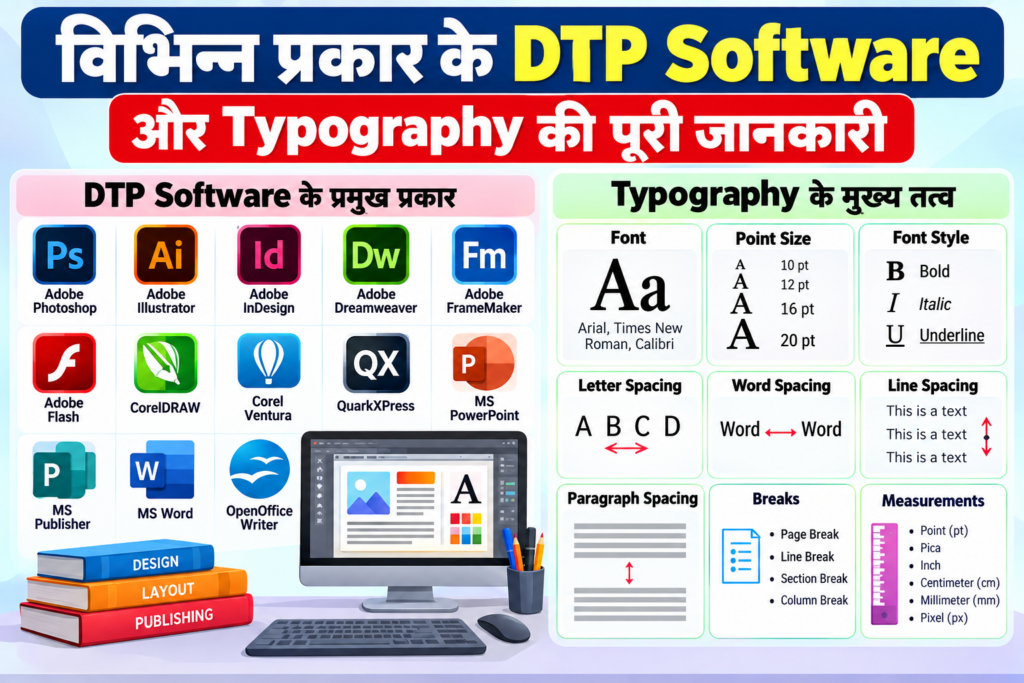
बाजार में कई प्रकार के DTP Software उपलब्ध हैं। इनमें से कुछ प्रमुख software निम्नलिखित हैं:
1. Adobe Dreamweaver
Adobe Dreamweaver का उपयोग मुख्य रूप से Web Designing और Web Development के लिए किया जाता है। इसकी सहायता से websites और web pages तैयार एवं edit किए जा सकते हैं।
2. Adobe FrameMaker
Adobe FrameMaker का उपयोग technical documentation, manuals और बड़े एवं जटिल documents तैयार करने के लिए किया जाता है।
3. Adobe Illustrator
Adobe Illustrator एक vector graphics software है। इसका उपयोग logos, illustrations, icons, banners और विभिन्न प्रकार के graphic designs बनाने के लिए किया जाता है।
4. Adobe InDesign
Adobe InDesign professional page layout और publishing के लिए लोकप्रिय software है। इसका उपयोग magazines, newspapers, books, brochures और अन्य publications को design करने में किया जाता है।
5. Adobe Flash
Adobe Flash का उपयोग पहले animation और multimedia content बनाने के लिए किया जाता था। हालांकि, Adobe Flash अब discontinued है और आधुनिक web development में HTML5, CSS और JavaScript जैसी technologies का उपयोग किया जाता है।
6. Adobe Photoshop
Adobe Photoshop का उपयोग photo editing, image manipulation और graphic designing के लिए किया जाता है। इसमें images को crop, resize, retouch और enhance करने के साथ-साथ विभिन्न graphic designs भी बनाए जा सकते हैं।
7. Corel Ventura
Corel Ventura एक desktop publishing software है, जिसका उपयोग page layout और professional publishing के लिए किया जाता था।
8. CorelDRAW
CorelDRAW एक लोकप्रिय vector graphics और graphic designing software है। इसका उपयोग logo, poster, banner, brochure, visiting card और अन्य designs बनाने के लिए किया जाता है।
9. QuarkXPress
QuarkXPress एक professional page layout और publishing software है। इसका उपयोग magazines, newspapers, books और अन्य publications को design करने के लिए किया जाता है।
10. Microsoft PowerPoint
Microsoft PowerPoint presentation तैयार करने के लिए उपयोग किया जाता है। इसमें text, images, charts, graphics, animations और multimedia elements को जोड़कर presentations बनाई जा सकती हैं।
11. Microsoft Publisher
Microsoft Publisher का उपयोग brochures, flyers, newsletters, posters, business cards और अन्य publishing materials बनाने के लिए किया जाता है।
12. Microsoft Word और OpenOffice
Microsoft Word और OpenOffice Writer मुख्य रूप से word processing के लिए उपयोग किए जाते हैं। इनकी सहायता से letters, reports, applications, resumes और अन्य documents तैयार किए जा सकते हैं।
Text Formatting क्या है?
Text Formatting का अर्थ किसी document में लिखे गए text को व्यवस्थित और आकर्षक बनाने की प्रक्रिया से है। इसमें font, font size, style, alignment, spacing और paragraph formatting जैसी settings शामिल होती हैं।
Text formatting का सही उपयोग document को readable, professional और attractive बनाता है।
Typography क्या है?
Typography लिखित भाषा को स्पष्ट, पठनीय और देखने में आकर्षक बनाने की कला और तकनीक है। इसमें text के typeface, font, point size, line spacing, letter spacing और line length को उचित तरीके से व्यवस्थित किया जाता है।
Typography में मुख्य रूप से अक्षरों, संख्याओं और symbols की style, arrangement और appearance पर ध्यान दिया जाता है।
अच्छी typography का उद्देश्य केवल text को सुंदर बनाना नहीं है, बल्कि उसे आसानी से पढ़ने योग्य बनाना भी है। इसका उपयोग books, newspapers, websites, advertisements, posters और अन्य designs में किया जाता है।
Typography में किन चीजों का ध्यान रखा जाता है?
Typography में मुख्य रूप से निम्नलिखित elements महत्वपूर्ण होते हैं:
- Typeface और Font
- Point Size
- Line Spacing
- Letter Spacing
- Line Length
- Alignment
- Paragraph Spacing
- Text Breaks
- Measurements
इन सभी elements का सही combination document की readability और overall appearance को बेहतर बनाता है।
Font क्या है?
Font अक्षरों, संख्याओं और symbols की एक विशेष design या style को कहा जाता है। उदाहरण के लिए Arial, Times New Roman और Calibri अलग-अलग fonts हैं।
Font का चयन document के उद्देश्य और design के अनुसार किया जाता है।
Font Point Size क्या है?
Font Point Size text के अक्षरों के आकार को दर्शाता है। कंप्यूटर और printing में font size को सामान्यतः Point (pt) में मापा जाता है।
उदाहरण के लिए:
- 10 pt – छोटा text
- 12 pt – सामान्य body text के लिए उपयोगी
- 16 pt – subheading के लिए
- 20 pt या अधिक – heading के लिए
उचित font point size चुनने से document को पढ़ना आसान होता है और उसकी presentation बेहतर दिखाई देती है।
Spacing क्या है?
Spacing का अर्थ text, characters, words, lines और paragraphs के बीच उचित दूरी रखना है।
Spacing मुख्य रूप से निम्न प्रकार की हो सकती है:
1. Letter Spacing
दो characters के बीच की दूरी को letter spacing कहा जाता है।
2. Word Spacing
दो words के बीच की दूरी को word spacing कहा जाता है।
3. Line Spacing
एक line और दूसरी line के बीच की दूरी को line spacing कहा जाता है।
4. Paragraph Spacing
दो paragraphs के बीच रखी गई दूरी को paragraph spacing कहा जाता है।
सही spacing document को साफ और readable बनाती है।
Breaks क्या हैं?
Document में Breaks का उपयोग text या content को उचित स्थान पर विभाजित करने के लिए किया जाता है।
इसके प्रमुख प्रकार हैं:
- Page Break
- Line Break
- Section Break
- Column Break
इनका उपयोग document की layout और structure को व्यवस्थित करने के लिए किया जाता है।
Measurements क्या हैं?
DTP और typography में text तथा page elements की लंबाई, चौड़ाई और दूरी को मापने के लिए विभिन्न measurement units का उपयोग किया जाता है।
कुछ सामान्य measurement units हैं:
- Point (pt)
- Pica
- Inch
- Centimeter (cm)
- Millimeter (mm)
- Pixel (px)
इन measurements की मदद से text, images, margins और अन्य elements को सही आकार और position में रखा जाता है।
DTP Software का महत्व
आज DTP Software का उपयोग publishing और graphic designing के क्षेत्र में बड़े पैमाने पर किया जाता है। इसके माध्यम से कम समय में professional और attractive documents तैयार किए जा सकते हैं।
DTP का उपयोग मुख्य रूप से:
- Books और magazines
- Newspapers
- Brochures
- Posters
- Pamphlets
- Visiting Cards
- Advertisements
- Certificates
- Newsletters
- Digital Publications
बनाने में किया जाता है।
निष्कर्ष
DTP Software desktop publishing और document designing के लिए महत्वपूर्ण tools हैं। Adobe InDesign, Adobe Illustrator, Photoshop, CorelDRAW, QuarkXPress और Microsoft Publisher जैसे software अलग-अलग प्रकार के publishing और designing कार्यों में उपयोग किए जाते हैं।
वहीं Typography, Font, Point Size, Spacing, Breaks और Measurements जैसे concepts को समझना professional document और attractive design तैयार करने के लिए आवश्यक है।
FAQ – अक्सर पूछे जाने वाले प्रश्न
Q1. DTP Software क्या है?
DTP Software ऐसे computer applications हैं जिनकी सहायता से text, images और graphics को व्यवस्थित करके professional documents और publications तैयार किए जाते हैं।
Q2. DTP Software के उदाहरण क्या हैं?
Adobe InDesign, Adobe Illustrator, Adobe Photoshop, CorelDRAW, QuarkXPress और Microsoft Publisher आदि DTP और publishing से संबंधित प्रमुख software हैं।
Q3. Typography क्या है?
Typography text को readable और visually attractive बनाने के लिए font, typeface, size, spacing और arrangement को व्यवस्थित करने की कला और तकनीक है।
Q4. Font Point Size क्या होता है?
Font Point Size text के characters के आकार को दर्शाता है और इसे सामान्यतः Point (pt) में मापा जाता है।
Q5. DTP में Spacing क्या है?
Text, characters, words, lines और paragraphs के बीच उचित दूरी को spacing कहा जाता है।
Q6. DTP का उपयोग कहाँ किया जाता है?
DTP का उपयोग books, magazines, newspapers, brochures, posters, pamphlets, visiting cards, advertisements और अन्य publications बनाने में किया जाता है।
DTP और Desktop Publishing से जुड़ी जानकारी के लिए ये articles भी पढ़ें:
- DTP क्या है? Desktop Publishing का इतिहास, उपयोग, लाभ एवं कार्य प्रक्रिया
DTP क्या है? | Desktop Publishing का इतिहास, उपयोग, लाभ एवं कार्य प्रक्रिया - Word Processor और Desktop Publishing में अंतर | DTP vs Word Processing
Word Processor और Desktop Publishing में अंतर | DTP vs Word Processing - DTP का Publication और Newspaper Printing में उपयोग एवं महत्त्व | PageMaker 7.0 Newspaper Formatting
DTP का Publication और Newspaper Printing में उपयोग एवं महत्त्व